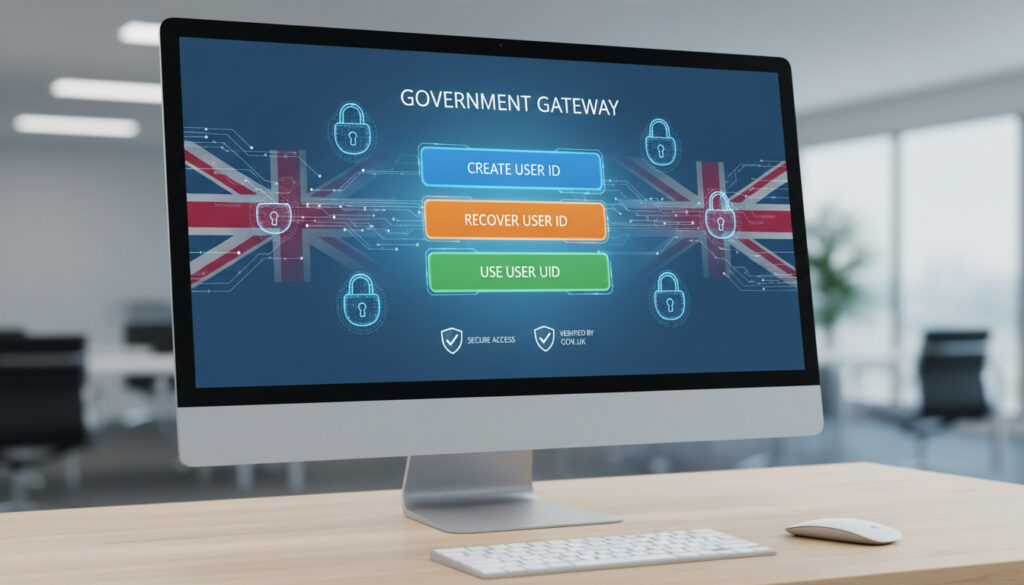
Government Gateway User ID – Create, Recover and Use Guide
The Government Gateway user ID functions as the primary authentication key for millions of UK taxpayers accessing HM Revenue and Customs services online. This credential, typically comprising 12 characters, operates alongside a password to secure entry to personal tax records, self-assessment filings, and benefit claims through official government portals.
Distinct from the 10-digit Unique Taxpayer Reference or National Insurance numbers, this identifier is generated specifically for digital access management. While HM Revenue and Customs maintains support for existing credentials, the infrastructure is gradually transitioning toward GOV.UK One Login, a unified authentication system intended to streamline access across multiple government departments.
A 12-character alphanumeric identifier for secure HMRC access
HMRC’s official sign-in portal at gov.uk
Approximately five minutes with valid email
Valid long-term despite One Login transition
- Registration requires a valid, regularly checked email address for verification purposes
- The system generates a unique 12-digit identifier displayed on screen and sent via email
- Users must provide full name, create a strong password, and establish a recovery word
- This ID remains separate from the 10-digit Unique Taxpayer Reference or National Insurance numbers
- Optional additional security layers include SMS verification to mobile devices
- Identity verification may require UK photographic ID, P60 documents, payslips, or tax credit information
- The credential remains valid even as GOV.UK One Login rolls out for other services
| Attribute | Specification |
|---|---|
| Character length | Up to 12 characters (typically 12 digits) |
| Format | Alphanumeric combination |
| Creation time | Approximately 5 minutes |
| Access portal | HMRC online services |
| Email requirement | Mandatory, must be regularly monitored |
| Security level | Password + optional two-factor authentication |
| Validity period | Permanent (unless deactivated) |
| Replacement system | GOV.UK One Login (transitioning) |
| Specific to | HMRC and select government services |
| Recovery method | Email confirmation and security questions |
How do I create a Government Gateway user ID?
The creation process begins at the HMRC sign-in page, where users select “Create sign in details” and verify their email address through a confirmation code. The registration workflow requires immediate saving of the issued identifier, as recovery options are limited if the original email is lost.
What if I forgot my Government Gateway user ID?
Credential loss affects thousands of users annually, requiring systematic recovery through official channels. The HMRC problems signing in page serves as the primary resource for retrieving lost identifiers or resetting passwords.
Retrieving Lost Credentials
Recovery protocols involve email confirmation, security question verification, and submission of personal information such as tax or banking details. Users may need to provide documentary evidence including National Insurance numbers, dates of birth, or payslip information to verify identity. If the original issuance email remains accessible, checking email history often proves the fastest method of recovery, as the system sends the 12-digit code immediately upon creation.
Prevention and Documentation
Best practices mandate immediate documentation upon creation. Screenshotting, printing, or secure password manager storage prevents future access disruptions. Unlike passwords, the user ID is issued once and cannot be regenerated to the same value.
Your 12-digit Government Gateway user ID is issued exactly once during initial registration. Neither HM Revenue and Customs nor third-party support services can retrieve the specific original code if you lose both the email record and written documentation. Immediate secure storage upon creation represents the only guaranteed preservation method.
How do I sign in using my Government Gateway user ID?
Authentication requires navigating to the official portal and entering the 12-character identifier alongside the associated password. The sign-in interface accepts credentials at the dedicated HMRC access page, distinguishing between personal and organizational accounts through subsequent menu selections.
Standard Authentication Process
Users enter their Government Gateway user ID and password at the login screen. If additional security is activated, the system prompts for SMS codes sent to registered mobile numbers. Existing users should continue utilizing current credentials rather than attempting migration to GOV.UK One Login unless specifically prompted by official communications.
Resolving Access Barriers
Browser compatibility issues occasionally prevent successful authentication, particularly for organizational accounts or specialized services such as Tax-Free Childcare. In such cases, closing the browser completely and waiting fifteen minutes before retrying often resolves technical conflicts. Persistent failures require contact with HMRC technical support rather than repeated login attempts that may trigger security locks.
What does a Government Gateway user ID look like?
The identifier typically presents as a 12-character alphanumeric sequence, though official documentation describes formats up to 12 characters in length. An example structure might resemble “AA12 34B56 C,” though public examples remain limited for security reasons. Users receive this code formatted with spaces for readability, though entry systems usually accept continuous strings.
The Government Gateway user ID differs fundamentally from your 10-digit Unique Taxpayer Reference (UTR) used for tax filing identification. While the UTR identifies your tax account to HMRC staff, the Gateway ID authenticates your digital identity to the online system. These numbers are not interchangeable and serve distinct administrative purposes.
Organizations utilizing the system for business tax or VAT services receive similar format identifiers, though these link to company UTRs rather than personal National Insurance numbers. The authentication structure remains consistent across individual and business accounts, though recovery processes differ slightly for corporate entities requiring authorized personnel verification.
Timeline of Government Gateway Evolution
- – HM Revenue and Customs publishes official guidance on Government Gateway account usage for accessing digital services
- – GOV.UK One Login system expands to include HMRC personal tax accounts, marking the beginning of the transition period
- – Third-party accounting software providers publish updated video tutorials and step-by-step guides reflecting current authentication workflows
- – Dual system operation continues, with Government Gateway remaining active for Universal Credit and select specialized services not yet migrated to One Login
- – Complete transition to GOV.UK One Login anticipated, though specific decommissioning dates for Government Gateway remain unannounced
Established Facts and Persistent Misconceptions
| Verified Information | Common Points of Confusion |
|---|---|
| 12-character alphanumeric format (typically numeric) | Whether Scotland uses a different system (it does not) |
| No dedicated mobile app exists for Government Gateway specifically | Confusion with the GOV.UK ID Check app used for One Login verification |
| Universal Credit remains unavailable through One Login | Assumption that all benefits require Gateway credentials |
| Childcare services sometimes require separate account setup | Belief that one Gateway ID accesses all government services universally |
| User ID is permanent and issued once | Assumption that lost IDs can be reissued with the same number |
The Role of Government Gateway in Digital Tax Administration
This authentication system underpins the UK’s digital tax infrastructure, enabling real-time access to PAYE records, self-assessment submissions, and tax credit applications. For pensioners managing tax obligations on retirement income or individuals tracking Pensioner Benefits Not Claimed – Trace and Claim Lost UK Pensions, the Gateway provides essential access to personal tax accounts.
Businesses rely on the same infrastructure for VAT returns, corporation tax filings, and employer payroll submissions. The system’s longevity—spanning over two decades of digital government evolution—has cemented its role in UK administrative processes, even as newer technologies emerge. Understanding proper credential management parallels other essential administrative tasks, such as knowing how to Change Address on Driving Licence – Free DVLA Step-by-Step Guide, in maintaining accurate government records.
Official Documentation and Source Verification
“Sign in with a user ID (up to 12 characters)”
— HM Revenue and Customs official sign-in guidance
Primary sources for authentication procedures remain the official gov.uk domains, with transition documentation updated regularly as services migrate to the new platform. Users seeking childcare-specific access should consult the Tax-Free Childcare portal directly, as this service occasionally requires distinct account creation procedures separate from standard HMRC registration.
Moving Forward with Your Credentials
Whether establishing new access or recovering existing credentials, maintaining secure records of your 12-digit identifier ensures uninterrupted service. While the gradual shift toward GOV.UK One Login continues, current Government Gateway credentials remain fully operational for tax management, benefit applications, and business filings, with no immediate requirement to transition unless directly notified by HM Revenue and Customs.
Frequently Asked Questions
Is there a specific Government Gateway user ID mobile application?
No dedicated application exists for Government Gateway credentials. The GOV.UK ID Check app is exclusively for verifying identity during GOV.UK One Login registration, not for storing or managing Gateway identifiers.
Can I access Tax-Free Childcare with my existing Gateway ID?
Possibly, though some users report needing separate account setup for childcare services. If your existing credentials prove unsuitable, close the browser and retry after fifteen minutes, or create a new account specifically for that service.
How does this differ from my Unique Taxpayer Reference number?
Your Gateway ID authenticates you to the online system (12 characters), while your UTR identifies your tax account to HMRC staff (10 digits). They serve different purposes and should not be confused during login attempts.
Are Scottish taxpayers required to use a different system?
No. Scottish residents use the identical UK-wide Government Gateway system for HMRC services, though Scottish income tax rates differ. The authentication process remains standardized across England, Scotland, Wales, and Northern Ireland.
Can I maintain multiple Government Gateway accounts?
While technically possible to create multiple registrations, doing so complicates tax record management. Organisations should register once and link to their company UTR; individuals should maintain a single personal account to ensure consolidated tax records.
Why can’t I find my user ID in my email?
Search for emails from HM Revenue and Customs sent on the date you registered. The subject line typically contains “Government Gateway” and the message displays your 12-digit ID prominently. Check spam folders or old email addresses if you have changed providers.
More related posts
 Mikey Moore Age, Stats, and Is He Related to Bobby Moore
 Holger Rune: Injury, Comeback, and What’s Next
 Trooping the Colour 2025 – Timetable and Key Highlights
 S&P 500 Index Fund Guide: Returns, Buffett’s Pick & Best ETFs
 Best Dash Cam 2024 – Expert UK Recommendations
 Long Term Weather Forecast – UK Spring 2026 Met Office Outlook
 Car Dashboard Symbols and Meanings – What Red, Yellow, Green Mean
 Ups Drop Off Point – Find UK Access Points Near You