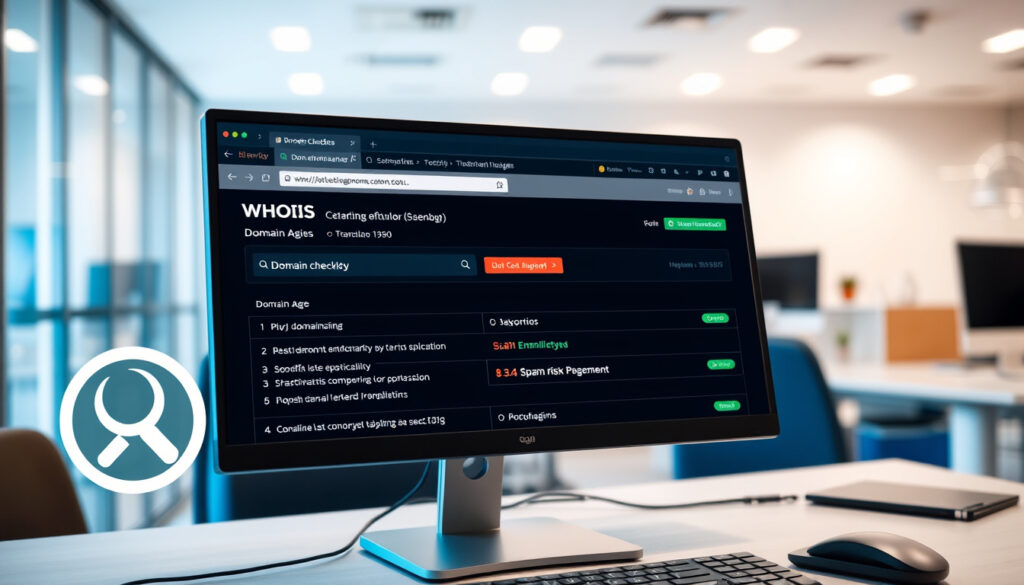
Domain Checker: How to Look Up WHOIS, Age, and Spam
Typing a domain name into a search bar seems simple, but the result you get — available, taken, or suspicious — depends on which registry the domain belongs to and how the checker queries it. A domain checker is more than an availability test: it can reveal the owner, the registration date, and even whether the domain has been flagged for spam. This guide compares the most common domain-checking features and highlights what Irish users should know when looking up .ie domains.
Global domain registrations: 350,000,000+ ·
Number of generic top-level domains (gTLDs): 1,200+ ·
Number of country-code TLDs: 250+
Quick snapshot
- WHOIS lookup is free for most domains via ICANN Lookup (the global domain authority).
- Domain age is found in the WHOIS creation date field (WhoisXML API (domain data provider)).
- Blacklist checks can be performed using MXToolbox (email & blacklist testing tool).
- The accuracy of free domain checkers for detecting sophisticated spam domains is not guaranteed (iNet Ventures (domain tools provider)).
- Some WHOIS records may be inaccurate if the registrant provides false information. (iNet Ventures (domain tools provider))
- Whether a free domain checker correctly queries the .IE registry depends on the tool — not all checkers reach the official Irish database. (iNet Ventures (domain tools provider))
- Domain age alone does not indicate trustworthiness, since an old domain can change hands and be reused for malicious purposes. (iNet Ventures (domain tools provider))
- Domain age is distinct from when a website actually launched (Zoho Toolkit (business software provider)).
- Use ICANN Lookup for authoritative WHOIS data across all TLDs. (weare.ie (Ireland’s .ie registry))
- For .ie domains, rely on the official registry weare.ie (Ireland’s .ie registry).
These statistics highlight the scale of domain registration and checking activity.
| Metric | Value |
|---|---|
| Number of .ie domain registrations | 300,000+ |
| WHOIS lookups performed daily worldwide | millions |
| Number of gTLDs | 1,200+ |
| Number of ccTLDs | 250+ |
| One-year .ie domain registration price (example) | €3.49 ex VAT (LetsHost (Irish hosting provider)) |
| Domain age calculation method | Creation date subtracted from current date (WhatsMyDNS (network tools)) |
What is a domain checker?
A domain checker is a tool that queries domain registration databases to provide information about a domain name, such as availability, ownership, and registration details. Domain checkers use WHOIS and RDAP protocols to retrieve data from registries and registrars.
How does a domain checker work?
- It sends a WHOIS query to the relevant registry. For gTLDs, ICANN (global domain governing body) accredits registrars who maintain the WHOIS database.
- For ccTLDs like .ie, the query goes to the IE Domain Registry (weare.ie).
- The result returns registration status, nameservers, and dates.
Why is it useful?
Business owners, SEO professionals, and security analysts use domain checkers to verify domain availability, research ownership, assess trust, and identify potential threats. GoDaddy (domain registrar and hosting provider) notes that the WHOIS database includes registration and expiration dates, name servers, and contact information for registered domains.
A domain checker is your window into the public registration records underpinning the internet. Without it, buying a domain is a gamble.
The implication: Understanding which type of checker you need — availability, WHOIS, spam, age — saves time and prevents costly mistakes.
How can I check the owner of a domain using WHOIS?
What is WHOIS?
WHOIS is a protocol that returns registration data for a domain name, including the registrant’s name, organization, contact information, and registration dates. EuroDNS (domain registrar) says a WHOIS search can show publicly available information such as contact details, registration status, creation date, expiry date, and registrar.
How do I perform a WHOIS lookup on ICANN Lookup?
- Go to lookup.icann.org.
- Enter the domain name and select the TLD.
- Review the returned registrant and administrative contact fields.
How do I interpret WHOIS results?
- Registrant: The person or organisation that registered the domain.
- Creation date: When the domain was first registered.
- Expiry date: When registration ends.
- Name servers: Where the domain points.
WHOIS results may include privacy-protected data if the registrant uses WHOIS privacy services. Shopify Ireland (e‑commerce platform) distinguishes basic WHOIS lookups from WHOIS history lookups, describing the latter as a way to explore a domain’s history.
Privacy services hide the real owner. A WHOIS lookup may show “Domains By Proxy” instead of a person’s name. That doesn’t mean the domain is unsafe — but you won’t get the true owner.
The catch: WHOIS is only as good as the data the registrant provides. False information can be reported, but it’s not always corrected.
How do I check if a domain is spam or malicious?
What does ‘spam’ mean for a domain?
Domain spam status refers to whether a domain is listed on blacklists (e.g., Spamhaus (anti‑spam organization), SURBL) for sending spam or hosting malware.
Which tools can check domain reputation?
- MXToolbox (email diagnostics tool) — runs a blacklist check on a domain.
- Who.is (domain lookup service) — includes reputation data.
- Google Safe Browsing (security service) — checks for phishing or malware.
How to interpret spam check results?
A clean result means the domain is not currently on major blacklists. Check the domain’s age: very new domains are more likely to be used for spam. iNet Ventures (domain tools provider) notes that domain age checkers report registration date, expiry date, and an estimated age in years, months, and days.
A domain that’s only a few days old and already on a blacklist is almost certainly malicious. For Irish users, a .ie domain that is newly registered and has no legitimate business history should be treated cautiously.
The trade-off: Free blacklist checks are useful but not exhaustive. A clean report today doesn’t guarantee the domain won’t be used for spam tomorrow.
How can I check the age of a domain?
Why is domain age important?
Age is a factor in SEO and trustworthiness; older domains are often considered more authoritative. Zoho Toolkit (business software provider) defines domain age as the time since a domain name was first registered, noting it is distinct from when the related website was launched.
What WHOIS fields show the creation date?
The creation date is typically in the WHOIS record. WhoisXML API (domain data provider) states its domain age checker returns the domain creation date, estimated age, and expiry date.
How to check domain age on who.is?
- Go to who.is.
- Enter the domain name.
- Look for the “Creation Date” field and calculate the age.
WhatsMyDNS (network tools) says its domain-age tool can show the registration date and automatically calculate years, months, and days since registration. In some cases a domain’s age cannot be retrieved for technical reasons.
An old domain is not automatically trustworthy — it could have changed hands. But a very young domain combined with spam signals is a red flag.
What this means: Domain age is one signal among many. Relying on it alone is misguided, but ignoring it is equally risky.
Which domain checker should I use for Irish (.ie) and .com domains?
Best domain checkers for .ie domains
- weare.ie (official .ie registry) — authoritative for availability and WHOIS.
- Hosting Ireland (Irish hosting provider) — checks .ie availability accurately.
- LetsHost (Irish hosting provider) — offers .ie search and pricing.
GoDaddy domain checker vs ICANN Lookup
GoDaddy (domain registrar) offers a convenient WHOIS lookup for .com and other gTLDs but may upsell services. ICANN Lookup (the global domain authority) is neutral and authoritative for all TLDs.
365 domain checker explained
“365 domain checker” typically refers to Microsoft 365 domain verification tools used to prove ownership of a domain when setting up email or services — not a general domain lookup tool.
Five tools, one pattern: the right domain checker depends on what you’re checking and which TLD you’re targeting.
| Tool | Best For | Key Features | Authority |
|---|---|---|---|
| ICANN Lookup | Authoritative WHOIS for all TLDs | Full registration data, RDAP support | Official internet governance body |
| Who.is | Quick WHOIS + reputation | User-friendly, includes blacklist info | Commercial domain lookup service |
| GoDaddy WHOIS | Quick .com checks | Simple interface, upsells | Major registrar (tier2) |
| weare.ie | .ie domains only | Official registry, accurate for .ie availability | Country‑code registry (tier1) |
| Hosting Ireland | .ie availability & hosting | Integrated domain search for Irish market | Irish hosting provider (tier2) |
Why this matters: Using the wrong checker for a .ie domain can show a domain as available when it’s not, or miss WHOIS data that only the .ie registry holds.
How to Use a Domain Checker: Step-by-Step
- Identify what you need: availability, WHOIS, spam, or age.
- Pick the right tool: ICANN Lookup for authoritative checks, who.is for speed, weare.ie for .ie domains.
- Enter the full domain name including the TLD (.com, .ie, .org).
- Review the results — take note of creation date, registrar, and any blacklist flags.
- Cross‑check with a second tool if the result is unexpected.
Shopify Ireland (e‑commerce platform) lists Tucows Domains, whoisrequest.com, Whoxy.com, and domainIQ as WHOIS/history lookup services if you need historical records.
The pattern: Cross-referencing multiple sources gives the most reliable picture of a domain’s history.
What’s confirmed and what’s still unclear about domain checkers
Confirmed facts
- WHOIS lookup is free for most domains via ICANN Lookup (ICANN (global domain authority)).
- ICANN is the global governing body for domain registration.
- Domain age is available in the WHOIS creation date field (WhoisXML API (domain data provider)).
- Blacklist checks can be performed using tools like MXToolbox or Spamhaus.
What remains unclear
- The accuracy of free domain checkers for detecting sophisticated spam domains is not guaranteed.
- Some WHOIS records may be inaccurate if the registrant provides false information.
The pattern: Domain checking tools give useful signals, but none is definitive on its own.
Expert perspectives on domain checking
“ICANN Lookup provides registration data for domain names and Internet number resources. It is the authoritative source for all gTLDs and many ccTLDs.”
“The official registry for .ie domain names, enabling and empowering people across Ireland to thrive online.”
“A basic WHOIS lookup shows only a domain’s current status, but is a helpful start.”
The implication: Official registries and authoritative bodies provide the most reliable domain information.
For anyone in Ireland looking to buy or vet a domain, the decision is clear: use ICANN Lookup for global checks and weare.ie for .ie domains. The alternative — relying on a generic checker that doesn’t talk to the .IE registry — risks missing essential data or getting inaccurate availability results.
Understanding the digital meaning of spam helps clarify why spam status checks are essential for domain verification.
Frequently asked questions
How does a domain checker determine domain availability?
It sends a WHOIS or RDAP query to the appropriate registry. If no record exists, the domain is typically available for registration.
Can I check the owner of a domain for free?
Yes. ICANN Lookup and many other services offer free WHOIS lookups for most domains.
How do I check if a domain is blacklisted?
Use MXToolbox’s blacklist checker or Spamhaus’s lookup tool. Enter the domain and review the list of blacklists.
Is it safe to use a domain checker?
Yes. Reputable domain checkers do not store personal data beyond the lookup. Avoid entering sensitive information.
What is the best domain checker for .ie domains?
Weare.ie (the official .ie registry) is the most accurate. Hosting Ireland and LetsHost also offer .ie‑specific checks.
How often is WHOIS data updated?
WHOIS data is updated when a domain is registered, renewed, transferred, or when contact details change. It is not real‑time.
The takeaway: Choosing the right checker for your TLD and use case prevents wasted time and missed information.
More related posts
 I Hope This Email Finds You Well: Meaning, Grammar & Alternatives
 Pound Rate Today India – Live GBP to INR Rates and Trends
 5ft 11 in cm: Exact Conversion, Formula & Comparisons
 Cast of 2point4 Children: Full List & Where They Are Now
 BMW 3 Series for Sale – 2025 Prices, Specs and Deals
 Birmingham New Street Station: Platforms, Shops & Parking
 Insta360 Ace Pro 2 – Full Specs, Release Date and Price
 Corriere della Sera: Italy’s Top Newspaper History & News