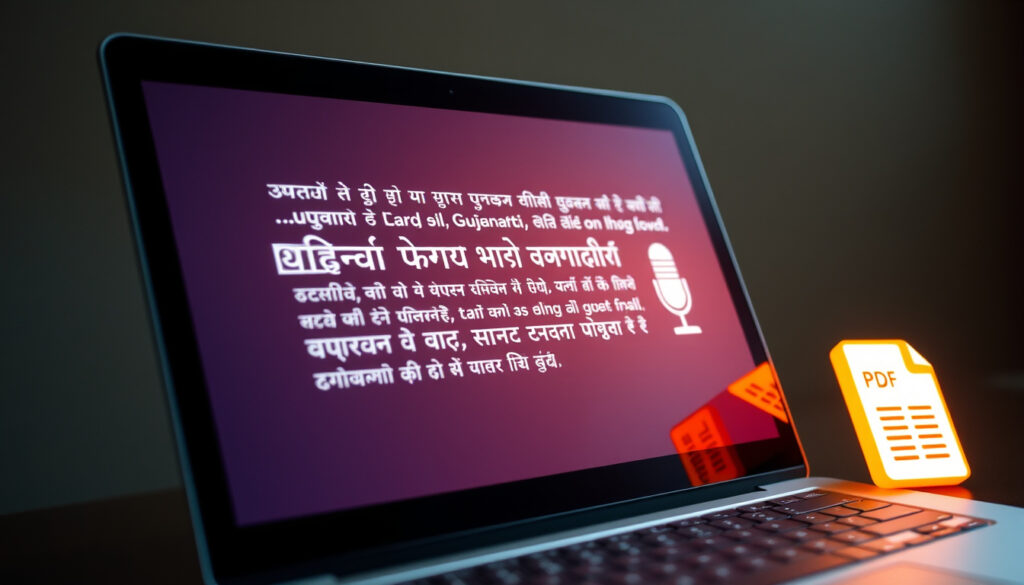
Translate English to Gujarati – Tools for Typing, Voice, PDF
Translating English to Gujarati has become significantly more accessible thanks to a range of web-based platforms, mobile applications, and AI-powered tools that now support this language pair. Whether you need to convert typed text, interpret spoken words, scan printed documents, or handle full PDF files, multiple services offer varying levels of capability, accuracy, and cost. Understanding which tool best matches your specific need—be it casual communication, business correspondence, or language learning—can save considerable time and effort.
Gujarati is spoken by approximately 57 million people worldwide, primarily in the Indian state of Gujarat and among diaspora communities across the United Kingdom, the United States, East Africa, and elsewhere. This widespread usage has driven technology companies and developers to expand Gujarati support across their translation products. The tools available today range from simple free web interfaces to sophisticated AI agents capable of comparing multiple translation engines in real time.
This guide examines the practical methods for translating English to Gujarati across five core input formats—typing, photography, voice, PDF documents, and reverse translation. It draws on publicly available information from tool providers and app developers to present a factual overview of capabilities and limitations.
How to Translate English to Gujarati by Typing
Text-based translation remains the most widely used method for converting English to Gujarati. Most platforms place a text input box front and center, allowing users to type or paste English content and receive a Gujarati translation almost instantly. This approach works well for short messages, emails, social media posts, and basic document drafts.
Overview of Available Tools
A small selection of tools covers the most common typing-based translation needs. The table below summarizes their core characteristics.
| Tool | Best For | Free Access | Formats Supported |
|---|---|---|---|
| Google Translate | Typing, Voice, Photo | Yes | Text, Voice, Photo |
| QuillBot | AI-powered text | Yes (up to 5,000 characters) | Text only |
| MachineTranslation.com | Multi-engine comparison | Yes (with premium options) | Text, PDF, DOCX, JPEG |
| GoTranslate | Unlimited free text | Yes | Text only |
| Immersive Translate | Subtitles and context | Yes | Text, PDF, Video subtitles |
Google Translate and several mobile applications support transliteration, which converts English letters into Gujarati script phonetically. This feature proves particularly useful for users who can speak Gujarati but may not be proficient in reading or writing the script.
Key Points to Consider
- Character limits vary by platform: QuillBot allows up to 5,000 characters in its free tier, while GoTranslate imposes no such restriction.
- Most services offer Gujarati to English reverse translation as well, supporting bidirectional communication needs.
- MachineTranslation.com enables users to compare results from multiple AI engines simultaneously, with quality scores that rank each option.
- Immersive Translate integrates Google, DeepL, and ChatGPT models, with each offering different strengths—Google handles general vocabulary effectively, while ChatGPT often captures contextual nuance and cultural subtleties better.
- Several platforms provide domain-specific terminology customization, allowing users to build tailored term libraries for technical or industry-specific content.
- Pricing ranges from entirely free options to premium plans starting at $1.50 per translation or $9.50 for unlimited monthly access on MachineTranslation.com.
- User content is not used to train AI models on certain platforms, and some services are GDPR compliant, addressing data privacy concerns.
Feature Comparison by Platform
| Feature | Google Translate | QuillBot | Mobile Apps |
|---|---|---|---|
| Typing Support | Yes | Yes | Yes |
| Photo Translation | Yes | No | Partial |
| Voice Input | Yes | No | Yes |
| PDF/Word Upload | No | No | No |
| Transliteration | Yes | No | Yes |
QuillBot permits up to 5,000 characters for free text translation, making it suitable for paragraphs and short documents. For longer content, upgrading to a paid plan or switching to an unlimited platform like GoTranslate may be necessary.
Translate English Text to Gujarati Using Photos or Images
Optical Character Recognition (OCR) integrated into translation apps allows users to photograph printed text—signs, menus, receipts, handwritten notes, or scanned documents—and receive a Gujarati translation. This method bridges the gap between physical printed material and digital translation output.
Google Translate has offered photo-based translation for several years, using the device camera to identify text within the frame and overlay the translated version. The feature works in real time through the viewfinder or on saved images.
Immersive Translate extends this capability by supporting image-based translation alongside its broader document processing features, making it possible to handle visual content embedded within PDF layouts or other graphical formats.
Mobile applications available through Google Play, including the English to Gujarati Translator, provide partial photo translation support alongside their voice and learning features.
For best results with photo translation, ensure the source text is clearly visible, evenly lit, and presented in a standard font. Handwritten text or low-resolution images may reduce accuracy considerably.
Supported Image Formats
- JPEG photographs captured via device camera
- Images embedded within PDF layouts
- Scanned document images uploaded to platforms like MachineTranslation.com and TranslateBase
Voice Translation from English to Gujarati
Voice translation addresses scenarios where typing is impractical—during conversations, while traveling, or when interacting with someone who prefers speaking in Gujarati. Several mobile applications and web interfaces incorporate speech recognition to capture spoken English and return a Gujarati translation or voice response.
The English to Gujarati Translator app, available through Google Play, includes high-quality audio pronunciations designed to support native-like speaking practice. Voice recognition enables real-time translation during live conversations, with the app converting spoken English into displayed or spoken Gujarati output.
Some platforms combine voice input with chat functionality, creating a conversational interface where users can speak and receive responses without manual typing. This proves particularly useful for travelers and business professionals who need quick, hands-free translation support.
Voice Features Across Platforms
- Google Translate supports voice input across many language pairs including English and Gujarati.
- Mobile apps provide conversational voice recognition with audio playback of translations.
- Real-time translation during live speech requires a stable internet connection on most platforms.
- Speech recognition accuracy may decrease with regional accents, background noise, or fast delivery.
Voice translation accuracy varies depending on speaker clarity, accent, and audio quality. Complex sentences, specialized terminology, and idiomatic expressions may not translate reliably through voice input alone.
Translate English PDF and Documents to Gujarati
Handling full documents introduces additional complexity, as translations must preserve not only textual content but also formatting, layout, and structure. Several advanced platforms now support PDF and Word document uploads specifically for this purpose.
MachineTranslation.com and TranslateBase both accept PDF, DOCX, and JPEG uploads, processing the files to deliver translations while attempting to maintain the original document structure. This functionality serves users who need to translate contracts, reports, academic papers, or official correspondence.
Immersive Translate includes dedicated PDF translation functionality, allowing users to upload files and receive Gujarati text that retains the logical flow of the original. MachineTranslation.com further provides three top translation options per technical or industry-specific term, displayed in a table format that helps users select the most accurate wording for specialized content.
For Microsoft Word files, users can typically copy text from the document, paste it into a text-based translation tool, and then paste the result back into a new Word file. Full layout preservation for DOCX files remains limited on most free platforms.
File Translation Capabilities
- PDF translation with layout preservation is available on MachineTranslation.com, TranslateBase, and Immersive Translate.
- DOCX files can be processed by converting content to text, translating, and reformatting manually.
- Image-based PDFs may require OCR preprocessing for accurate text extraction before translation.
- Paid or premium tiers often unlock higher file size limits and priority processing speeds.
Reverse Translation: Gujarati to English with Google Tools
Many translation platforms support bidirectional conversion, enabling users to translate from Gujarati back to English as easily as they translate from English to Gujarati. This reverse capability proves essential for multilingual communication and for verifying the accuracy of forward translations.
All platforms covered in this guide—including QuillBot, Immersive Translate, and Wordvice AI—explicitly list Gujarati to English as a supported language direction alongside their English to Gujarati services.
Google Translate remains the most widely used tool for reverse translation, offering a simple language selector swap that switches the input and output languages. Its widespread availability across web browsers and mobile devices makes it a default choice for quick bidirectional translation needs.
For users requiring more refined reverse translation, platforms with multi-engine comparison features allow side-by-side evaluation of multiple translation outputs, helping identify the most accurate English rendering of complex Gujarati text.
When working with important documents, translate forward and then reverse into the original language to check for significant meaning loss. Major discrepancies may indicate the need for human review or a different translation engine.
What Is Established and What Remains Uncertain
Transparency about what is known and what is not helps users set realistic expectations when selecting a translation tool for English to Gujarati work.
| Established Information | Information That Remains Uncertain |
|---|---|
| Google Translate, QuillBot, MachineTranslation.com, and Immersive Translate support English to Gujarati translation. | Detailed accuracy metrics for specific word categories such as idioms, technical jargon, or formal legal terminology. |
| Photo, voice, and document translation features exist on various platforms, though availability varies. | Consistent performance data across different regional Gujarati dialects, including standard, Kacchi, and other variants. |
| MachineTranslation.com reports 90% error reduction in testing across 10,000 segments and claims 85% of professional quality. | Independent third-party audits of claimed accuracy figures for Gujarati specifically. |
| Free tiers are available on most platforms, with premium plans ranging from $1.50 per translation upward. | Real-time performance benchmarks under varying network conditions and device types. |
| AI-powered tools use contextual awareness to improve translation quality beyond literal word-for-word conversion. | Specific data on how well each tool handles mixed English-Gujarati code-switching common in informal communication. |
The gap between general accuracy claims and specific performance in specialized contexts underscores the value of using comparison features when translation quality is critical.
Why Gujarati Translation Demand Is Growing
The demand for Gujarati translation tools reflects broader demographic and economic trends. Gujarat is one of India’s most economically active states, with strong trade ties to the United Kingdom, East Africa, and North America. Gujarati-speaking diaspora communities in these regions maintain active business, educational, and familial connections that require cross-language communication.
Digital content consumption in regional Indian languages has risen sharply, driven by smartphone adoption in rural and semi-urban Gujarat. This shift has created a need for accessible translation tools that go beyond simple dictionary lookups to offer contextual, conversational, and document-level translation support.
Educational technology platforms increasingly integrate translation features to support learners studying in English-medium institutions while communicating in Gujarati at home. Business process outsourcing companies operating in Gujarat also generate consistent demand for reliable document translation between the two languages.
Sources and References
Google Translate helps people communicate across languages by supporting text, voice, photo, and handwriting input across hundreds of language pairs.
— Google Translate product documentation and platform descriptions
QuillBot uses advanced AI to understand context, ensuring grammatical accuracy, correct accent marks, and appropriate sentence structure for natural translations.
— QuillBot platform information
User content is never used to train AI models and the platform is GDPR compliant, giving users confidence in data privacy.
— MachineTranslation.com privacy statement
Summary and Next Steps
Translating English to Gujarati is supported by a diverse ecosystem of tools spanning free web platforms, AI-powered comparison services, and dedicated mobile applications. Typing-based translation offers the broadest accessibility, while photo, voice, and document translation features extend usability into physical and multimedia contexts. Multi-engine comparison tools help users evaluate output quality, and bidirectional translation ensures that reverse conversion from Gujarati to English is equally supported.
For users exploring additional language translation resources, a comparison of tools for Translation French to English – Best Tools Compared provides insights into how different translation approaches perform across other language pairs.
Starting with Google Translate for basic typing and voice needs, then expanding to specialized platforms like MachineTranslation.com or Immersive Translate for document-heavy or quality-critical work, represents a practical progression for most users.
Frequently Asked Questions
What is the best free English to Gujarati translator?
Google Translate offers free, unlimited text, voice, and photo translation between English and Gujarati. QuillBot provides a free tier up to 5,000 characters, while GoTranslate offers unlimited free text translation. Each has different strengths, so trying more than one for important content is advisable.
Can I translate English numbers to Gujarati?
Yes. Most translation tools handle numerical content by preserving the digits themselves while converting surrounding text. Some platforms may offer numeral-to-word conversion options, though support varies by tool.
How accurate is photo translation for English to Gujarati?
Photo translation accuracy depends on image clarity, font legibility, and text size. Clearly printed text in standard fonts produces the most reliable results. Handwritten or low-resolution images tend to yield lower accuracy and may require manual correction.
Can I translate a whole PDF file to Gujarati?
MachineTranslation.com, TranslateBase, and Immersive Translate support PDF uploads for translation. These platforms attempt to preserve document layout, though complex formatting may require post-translation review and adjustment.
Do translation apps work offline?
Most translation platforms require an internet connection to process translations using cloud-based AI models. Some mobile apps offer limited offline capabilities by downloading basic language packs in advance, but feature sets are reduced compared to online versions.
Is my translation data kept private?
MachineTranslation.com explicitly states that user content is never used to train AI models and is GDPR compliant. Privacy policies vary across platforms, so reviewing the specific service’s policy before translating sensitive content is recommended.
Can I translate voice conversations in real time?
The English to Gujarati Translator app and Google Translate support real-time voice translation during conversations. A stable internet connection is typically required. Accuracy may vary with accent, speaking speed, and background noise.
What Gujarati fonts or script support do I need?
Most translation tools output Unicode-compliant Gujarati script, which is supported by all modern browsers and operating systems. The Unicode Consortium maintains the official Gujarati script block, and modern devices generally render this correctly without additional font installation.
More related posts
 Anna Madeley: Biography, Age, Net Worth, and All Creatures
 Cast of The Electric State 2025: Actors, Budget & More
 Leyton Orient F.C. – History League Two Status Key Facts
 BBC Scottish Football Gossip: Latest Rumors & Transfers
 Translation French to English – Best Tools Compared
 Cast of Scoop 2024 – Full List of Actors and Roles
 สล็อต www.pglucky88.pro – PG Slots Review and Safety Guide
 Andy Byron: Coldplay Kiss Cam Scandal and Aftermath