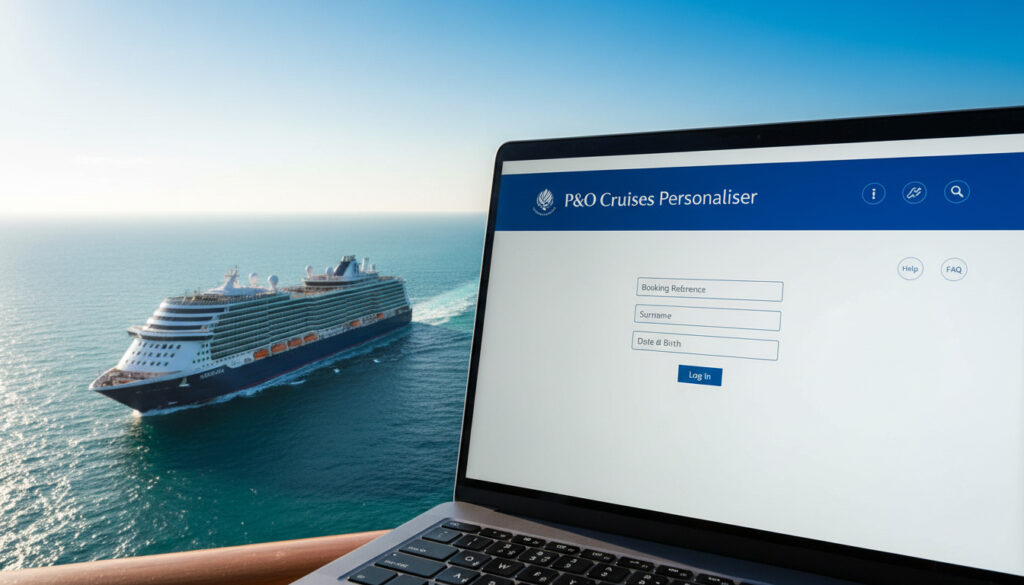
P&O Cruise Personaliser – Login and Troubleshooting Guide
The P&O Cruise Personaliser comprises two distinct digital systems operating at separate stages of your journey. My Cruise manages preparation before departure, while My Holiday activates exclusively once you board the vessel. Understanding this fundamental division prevents the common confusion passengers face when attempting to access booking features or onboard services through the wrong portal at the wrong time.
Passengers frequently encounter technical barriers when conflating these tools. The pre-cruise portal requires standard internet access and booking credentials, whereas the onboard application demands connection to the ship’s specific WiFi network and verification through your physical cruise card. Each system serves different functions: My Cruise handles excursion reservations and dining preferences up to two weeks before sailing, while My Holiday facilitates virtual restaurant queues, spending tracking, and entertainment bookings during the voyage.
This guide examines the specific access protocols, feature sets, and resolution steps for both components based on official P&O Cruises documentation, verified user experiences, and technical specifications from Cruise Critic.
What Is the P&O Cruise Personaliser and What Can You Do With It?
Essential Capabilities
- Secure restaurant reservations up to fourteen days before departure or join virtual queues for immediate dining onboard
- Pre-book theatre performances, cinema screenings, and shore excursions before popular slots fill
- Register children aged six months to seventeen years into Reef kids’ clubs (Splasher, Surfers, and Scubas) either fourteen days pre-departure or during the voyage
- Monitor real-time onboard spending and account balances through the digital wallet feature
- Access restaurant and bar menus digitally to plan dining experiences
- Receive automated alerts when queued tables become available
- Purchase WiFi packages and manage connectivity settings
Feature Comparison
| Feature | Description | How to Access |
|---|---|---|
| Shore Excursions | Book port tours and activities | My Cruise pre-cruise or My Holiday onboard |
| Dining Reservations | Reserve tables at speciality restaurants | Up to 2 weeks advance via My Cruise; virtual queue via My Holiday |
| Kids Club Registration | Enrol children in age-appropriate clubs | 14 days pre-departure via My Cruise or onboard via My Holiday |
| Onboard Account | Track spending and purchases | My Holiday only (requires ship WiFi) |
| Entertainment Booking | Reserve theatre and cinema seats | My Cruise pre-cruise or My Holiday onboard |
| Virtual Queuing | Join digital lines for restaurants | My Holiday onboard only |
| Menu Viewing | Access restaurant and bar menus | My Holiday onboard only |
| WiFi Purchase | Buy internet packages | My Holiday (account registration required) |
How Do I Log Into P&O Personaliser?
Access protocols diverge significantly between the pre-cruise and onboard systems. My Cruise utilises standard authentication through the P&O Cruises website, while My Holiday requires physical possession of your cruise card and connection to the vessel’s dedicated network.
My Cruise Pre-Cruise Access
Before sailing, navigate to the Manage My Booking section of the P&O Cruises website. Enter your booking reference number and surname as they appear on your confirmation documentation. This portal remains accessible from any internet-connected device until you board the vessel.
My Holiday Onboard Authentication
Once aboard, switch your mobile device to airplane mode to prevent roaming charges, then connect to the P&OCruises_Guest_WIFI network. Open your browser and visit myholiday.pocruises.com or scan the QR codes located in your cabin and throughout the ship.
The login screen requires your pass number—the final six digits printed beneath the barcode on your cruise card—along with your first name, surname, and date of birth as registered on the booking.
Troubleshooting P&O Personaliser Access Issues
Technical failures typically stem from network connectivity confusion or credential mismatches between the two systems. Passengers attempting to access My Holiday before embarkation or while connected to mobile data rather than ship WiFi encounter the most frequent barriers.
When My Holiday Won’t Load
If the My Holiday interface fails to appear, verify your device remains in airplane mode with WiFi manually enabled. The system cannot authenticate through mobile networks or external internet connections. Ship WiFi signals vary by location and vessel occupancy; moving to public areas such as atriums or deck spaces often improves connectivity.
You cannot log in to My Holiday without connecting to the ship’s dedicated WiFi network. Mobile data or external internet connections will not authenticate against the onboard servers.
Credential Recovery
For My Cruise password resets, use the standard recovery tools on the P&O Cruises website. My Holiday does not use traditional passwords; instead, it verifies identity through your cruise card pass number and personal details. If these details reject, verify you have entered the correct six-digit sequence from beneath the barcode, not the full card number.
Despite its name, My Holiday functions as a web-based application rather than a downloadable mobile app. No installation from app stores is required or available.
Your pass number comprises the last six digits printed directly beneath the barcode on your physical cruise card. This differs from your booking reference number and is only issued when you receive your card upon check-in or in your cabin.
When and How to Use P&O Personaliser Before Your Cruise
Pre-cruise planning through My Cruise opens significant advantages for passengers seeking popular shore excursions or speciality dining. The system typically activates once your booking confirms, though specific features become available according to a set timeline.
Pre-Sail Planning Windows
Shore excursion bookings and kids club registrations open approximately ninety days before departure for eligible passengers. Restaurant reservations accept bookings up to two weeks prior to sailing. These windows allow early planners to secure limited-availability experiences before they sell out to onboard bookers.
My Cruise also facilitates balance payments, cabin upgrades, and personal detail amendments. The Cruise Critic guide notes that passengers can manage these elements through the personaliser tool until they board, at which point control transfers to the My Holiday system.
Timeline: Accessing Personaliser From Booking to Disembarkation
- Booking Confirmation: My Cruise access activates immediately after deposit payment, allowing initial personalisation of passenger details and cabin selection.
- 90 Days Pre-Sail: Shore excursion bookings and kids club pre-registration open for passengers with confirmed reservations.
- 14 Days Pre-Sail: Speciality restaurant reservations become available through My Cruise.
- Embarkation Day: My Cruise functionality ceases; My Holiday activates once you board and connect to ship WiFi.
- During Voyage: My Holiday serves as your digital pocket planner for daily activities, dining queues, and spending monitoring.
- Disembarkation: My Holiday access terminates; post-cruise receipts and loyalty points updates process through standard P&O Cruises channels.
What Access Rules Are Definite Versus Unclear?
Established Facts
- My Holiday requires connection to P&OCruises_Guest_WIFI
- Airplane mode must remain active to avoid roaming charges
- Pass number consists of six digits below the cruise card barcode
- My Cruise handles pre-cruise planning; My Holiday manages onboard experience
- Kids club registration opens fourteen days before departure
Uncertain Elements
- Exact time My Cruise becomes unavailable on embarkation day
- Duration of post-cruise access to My Holiday receipts
- Specific browser compatibility requirements for older devices
- Whether virtual queue positions transfer between devices
Why Does P&O Maintain Separate Pre-Cruise and Onboard Systems?
The bifurcated structure reflects distinct operational requirements between shore-based administration and ship-based hospitality. My Cruise integrates with P&O’s mainland reservation infrastructure, handling payments, cabin assignments, and manifest documentation subject to UK consumer regulations.
My Holiday operates on closed ship networks designed for maritime connectivity limitations. This separation ensures passenger data remains secure within the vessel’s internal systems while allowing real-time updates to restaurant availability, excursion cancellations, and onboard account charges that fluctuate throughout the voyage.
For administrative tasks unrelated to cruising, such as updating your driving licence address before travel, you may need to consult the Change Address on Driving Licence – Free DVLA Step-by-Step Guide to ensure your identification documents remain current for embarkation requirements.
What Do Official Sources Say About P&O Personaliser?
Official documentation from P&O Cruises and verified travel journalism provides specific guidance on system functionality.
“The My Holiday app is available to all passengers free of charge and does not require downloading—it’s accessed via a webpage or QR code.”
— Cruise Critic Technical Review
“You’ll need your pass number, which is the last six digits below the barcode on your cruise card.”
— My Holiday Onboarding Documentation
Passengers requiring assistance with bookings or technical access can visit the speciality restaurants desk onboard, where crew members provide guidance on navigating the My Holiday interface.
Summary: Navigating Your P&O Personaliser Access
Successful use of the P&O Cruise Personaliser requires recognising which system serves your current needs. Utilise My Cruise during the months and weeks before departure to secure excursions, dining, and kids club places. Once aboard, transition exclusively to My Holiday via the ship’s WiFi to manage daily activities and monitor spending. Maintain airplane mode throughout the voyage to prevent roaming charges, and locate your six-digit pass number on your cruise card before attempting onboard login. For weather-dependent travel planning to your departure port, consult the Met Office Rainfall Radar – Live UK Rain Detection Guide to anticipate conditions affecting your journey to the terminal.
Frequently Asked Questions
Can I book extras like spa treatments through the Personaliser?
Yes, spa treatments and other onboard extras can be booked through My Cruise before sailing or through My Holiday once onboard, subject to availability.
Why is my P&O Personaliser not working?
Most failures occur from attempting to access My Holiday before boarding or without ship WiFi. Ensure you are using My Cruise pre-departure and My Holiday only while connected to P&OCruises_Guest_WIFI in airplane mode.
Do I need to download the My Holiday app before cruising?
No download is necessary. My Holiday operates as a web application accessed through your browser at myholiday.pocruises.com or via QR codes onboard.
Can I use the Personaliser to change my cabin?
Cabin upgrades and changes are typically handled through My Cruise before sailing, subject to availability and fare differences.
What happens to my data after the cruise ends?
My Holiday access terminates upon disembarkation. Final receipts and loyalty programme updates are processed through standard P&O Cruises channels, though the exact duration of post-cruise data access remains unspecified in official documentation.
More related posts
 Matty Healy: Biography, Health, Relationships & Controversies
 EU Entry/Exit System (EES): What Travelers Need to Know
 Lady Jane Grey: Nine Day Queen’s Execution & Last Words
 Libby Are You Home Yet: Streaming Guide, Epi ode & True Story
 Angle PLC Share Price: Live CLBX (AGL) Updates & Charts
 Greatland Gold Share Price: Target & Forecast 2025
 Best Time to Post on Instagram – Data from Millions of Posts
 Mr Bates vs the Post Office: True Story & Latest Updates